
How to Integrate Vending Machine Hardware for Operators
Quick Summary
Vending machine hardware integration connects a machine's controller, payment reader, telemetry device, cloud platform and display so they operate as one system. Operators confirm controller compatibility first, then install a card reader, verify MDB protocol support and link telemetry and inventory software before going live.
Confirm controller model, protocol support and cashless configuration before ordering any hardware.
Power down the machine before mounting the card reader, and connect it to the controller's payment port.
Run a test transaction and confirm it appears in your reporting dashboard before leaving the site.
Verify MDB support early, since older cabinets may need a retrofit board that adds cost and time.
Budget for recurring connectivity and software fees alongside the roughly $3,000 to $7,000 per-machine hardware cost.
Table of Contents
What Vending Machine Hardware Integration Involves
Vending machine hardware integration is the process of connecting a machine's controller, payment hardware, telemetry modules and management software so they operate as one system. For operators, a well-integrated machine accepts cashless payment, reports stock levels and sales in real time, and flags faults before a customer finds an empty slot.
Five components typically make up the stack: the machine controller, the payment reader, the telemetry device, the cloud management platform and the content or display system. A digital integration guide describes these as the coordinated parts of a working machine, Digital Vending Machine Integration Guide. Smart systems combine telemetry, cashless readers, touchscreens and AI, as outlined in an operator guide to smart vending machines (2026).
Industry scale helps explain why integration matters. IBISWorld's industry analysis of U.S. vending machine operators reports an $8.0 billion market in 2026, which means operators compete on uptime and convenience as much as on product selection.
Smart hardware is not inexpensive to add. Published supplier estimates put smart vending equipment at roughly $3,000 to $7,000 per machine, plus monthly software subscriptions, according to SkyTop Vending's 2026 smart vending guide. Pricing for Benny's Vending depends on machine count, location and service plan, so request a quote for current figures.
Checking Controller and Machine Compatibility Before You Buy
Before purchasing any hardware, confirm that the controller and the cabinet speak the same language. Most failed integrations trace back to a mismatch between the machine's control board and the payment or telemetry device being added. Ask the provider which controller model is installed, which communication protocol it supports and whether the cabinet is configured for cashless operation.
Write these details down before ordering. Record the machine make and model, the controller version, the available interface ports and the protocol standard. A short compatibility checklist prevents costly returns, and it gives your installer the information needed to commission the unit on the first visit.
How to Install a Vending Machine Card Reader
Card reader installation is the step most operators associate with integration, and it is usually the simplest to complete correctly. The reader mounts to the machine's side panel, connects to the controller through the protocol cable and is then configured in the management software so each vend registers as a sale.
Follow these steps in order:
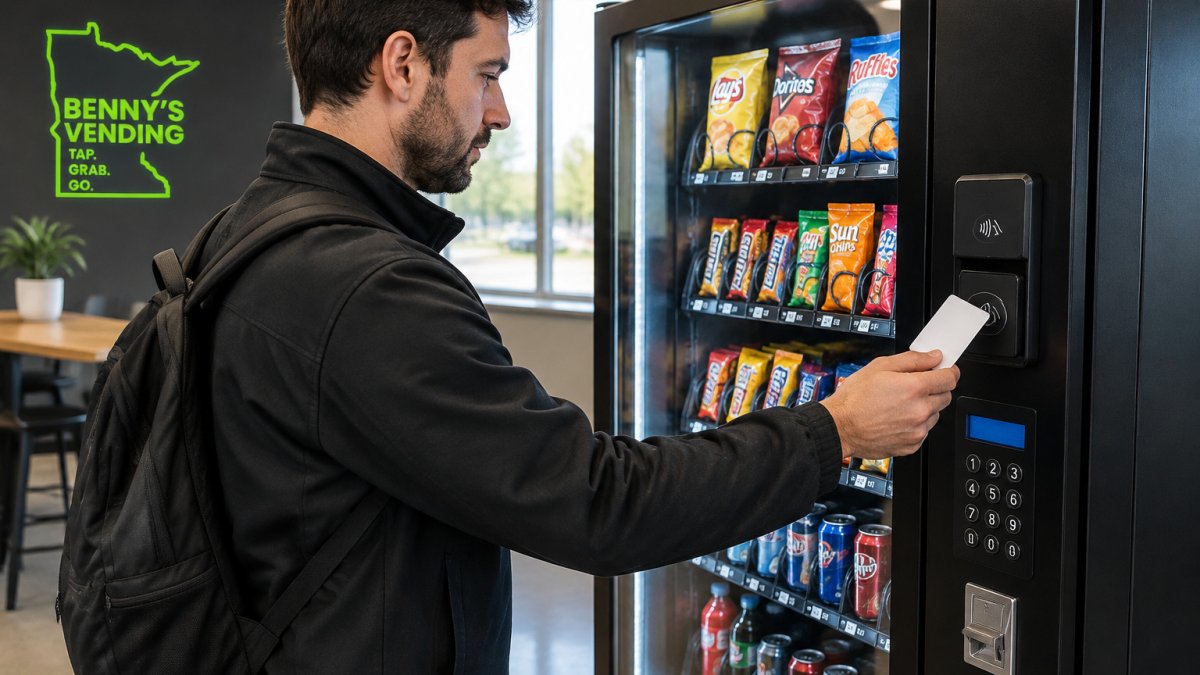
Power down the machine and disconnect it from its power source.
Mount the reader in the pre-cut panel position, securing it with the supplied hardware.
Connect the reader cable to the controller's payment port.
Restore power and confirm the reader's status light illuminates.
Run a test transaction and verify that the controller registers the vend.
Watch out: a reader connected to the wrong port can appear to work while failing to report sales, so confirm the transaction appears in your reporting dashboard before leaving the site.
Understanding the MDB Vending Machine Protocol
The MDB (Multi-Drop Bus) protocol is the common communication standard that lets a vending controller exchange data with payment devices. It defines how a card reader or cashless device requests a vend, how the controller confirms it and how credit is reconciled. When a reader and controller both support MDB, they can be installed and swapped with far less custom wiring.
If your machine predates widespread cashless adoption, confirm whether its controller supports MDB before buying a reader. Older cabinets may need a retrofit board, and that adds cost and installation time. Ask your provider to verify MDB support against your specific controller model.
Connecting Vending Machine Telemetry Hardware
Telemetry hardware sends machine status, stock levels and sales data to a cloud platform. It is what turns a vending machine into a remotely managed asset. Once connected, operators can see low-stock alerts, coin or card faults and temperature warnings without visiting the site.
Connection requires a network path, usually a cellular modem or a wired network connection provided at the site. Recurring connectivity and software fees also apply; see our Smart Vending Machine Hidden Fees Explained guide for the costs to budget for before you commit.
Linking Inventory Management Software to Your Machines
Inventory software becomes useful once telemetry is flowing. The platform maps each machine's slots to products, tracks sales against stock and generates restocking routes based on actual demand. Setting up slot-to-product mapping correctly at the start prevents inaccurate reports later. With slot mappings in place, beverage inventory automation can turn sales and stock data into more precise replenishment decisions.
For guidance on keeping stock accurate across machines, see our article on Managing Office Micro Market Inventory Effectively.
Testing, Commissioning, and Your Next Step With Benny's Vending
Commissioning is the final check before a machine goes live.
Once you are ready to move from planning to buying, you can review the 24H Smart Vending machine offered for installation. Benny's Vending takes care of shipping and setup of the Smart Vending Machine at your location.
Frequently Asked Questions
What hardware is needed to operate a modern vending machine?
A modern vending machine typically needs a machine controller that speaks a standard interface such as MDB or DEX, a payment device such as a card reader or mobile payment terminal, and telemetry hardware to report sales and stock levels. Many operators also add a cloud management platform for remote monitoring. Confirm that each component supports the same protocol before purchase, because a mismatch between the controller and payment device is the most common reason integrations fail. Pricing for smart equipment varies by configuration, so request a quote from Benny's Vending for current options.

What is the difference between MDB and DEX in vending machines?
MDB (Multi-Drop Bus) is a serial protocol that lets a vending machine controller communicate with payment devices such as card readers, coin mechanisms, and bill validators. DEX (Data Exchange) is a data protocol that lets a machine send sales, inventory, and fault records to a route management system. MDB handles payment transactions in real time, while DEX handles reporting. Many modern machines use both, so check which protocols a given controller supports before selecting hardware.
How do you test a vending machine after installing new hardware?
Run a commissioning checklist before the machine goes live. Confirm the controller recognizes the card reader, complete test transactions for each payment type, dispense every product slot at least once, and verify that the telemetry system sends sales and inventory data to your management software. Test an offline scenario by disconnecting the network to confirm the machine still accepts cash or cards and syncs data when connectivity returns. Record results so you have a baseline for future troubleshooting.
Ready to put a smart machine in your building? Benny's Vending handles installation, telemetry setup and ongoing restocking, so your team gets reliable access to snacks and drinks from day one. Request a machine today and we will walk you through compatibility, cost and commissioning for your site.

Comments