
Unattended Retail Kiosk Payment Systems: A Buyer's Review

Last Updated: November 17, 2026
Quick Summary
A kiosk payment system lets customers select, pay for and receive products at an unattended machine without a cashier. Buyers should compare systems on payment methods, offline behavior, PCI compliance responsibilities and total cost of ownership, matched to the site's traffic and environment.
Contactless cards, mobile wallets and chip cards cover most everyday purchases at kiosks.
Ask vendors what happens during a network outage and whether transactions queue for later processing.
Request written proof of PCI compliance from each party and confirm which role each holds.
Ask for a written quote that separates hardware, software, processing and service costs.
Match the system type to the site: simple card-reader machines suit low-traffic sites best.
Ready to compare smart vending options?
Benny's Vending handles installation, restocking and maintenance for contactless smart stores.
Table of Contents
What Unattended Payment Solutions Do at the Point of Sale
Unattended retail kiosk payment systems let customers buy and pay without a cashier. The U.S. interactive kiosk market is estimated to grow from approximately USD 6.79 billion in 2025 to USD 9.53 billion by 2030 (Kiosk Innovations market forecast citing MarketsandMarkets).

How a Self-Service Kiosk Takes Payment, Step by Step
A typical transaction follows a short sequence. The customer selects a product on the touchscreen, the kiosk displays the total, and the customer taps or inserts a payment method.
Each step depends on the payment hardware and software working together. A failure at the authorization stage usually means the customer sees a decline message and tries again, which is why reliable connectivity matters.
Payment Methods a Kiosk Should Accept
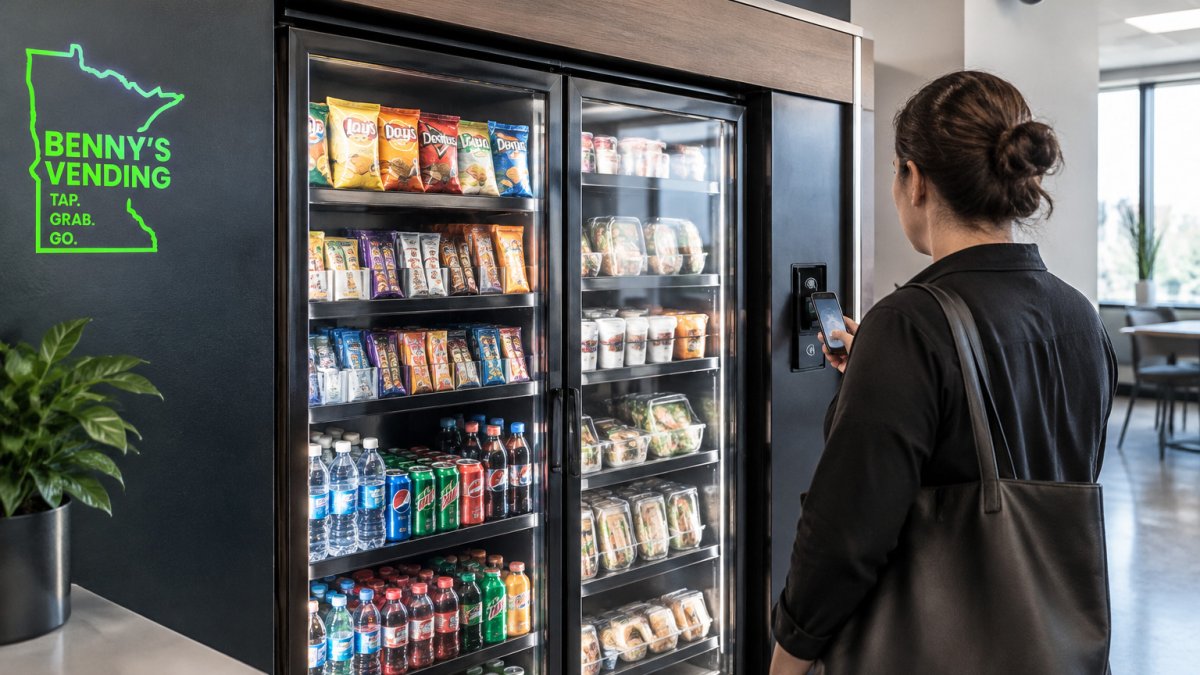
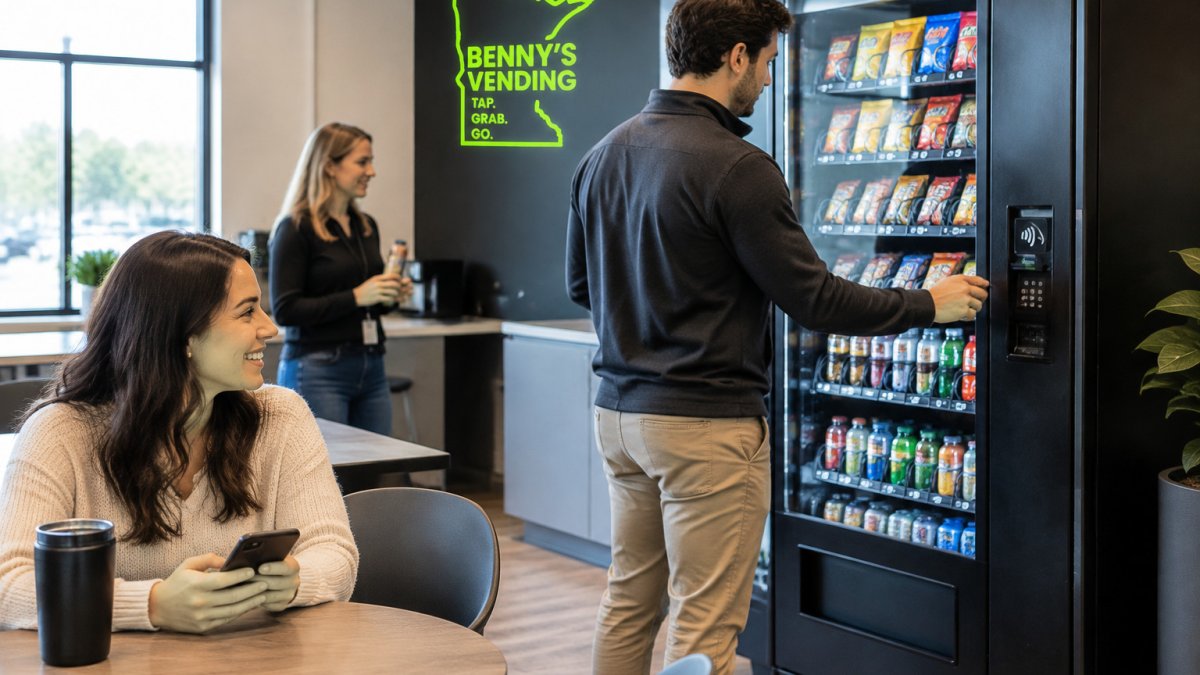
Most buyers expect more than one option at the kiosk. See how tap-to-pay machines work in a corporate office setting. PYMNTS reports that 84% of U.S. shoppers like using self-service kiosks and 66% prefer them over staffed checkouts, though the source does not give a survey year or sample size (PYMNTS coverage of self-service kiosk preferences).
Criteria for Reviewing a Kiosk Payment System
Before comparing vendors, decide which criteria matter for your site. The four areas below cover most buying decisions. Use them as a scorecard when you request quotes.
Hardware, Software and Inventory Integration
Check whether the payment hardware and the inventory software come from one supplier or are stitched together. Integrated systems usually cut setup time and reduce the chance that a sale is recorded but the item never leaves the machine. Ask whether the kiosk connects to your existing reporting tools. Real-time inventory tracking can make restocking driven by actual sales data, which is a feature to ask about when comparing vendors.
Reliability, Connectivity and Offline Operation
Ask what happens when the network drops. Some kiosks can queue transactions and process them later, while others stop accepting payment until the connection returns. Read practical troubleshooting steps and service call tips for when a machine fails.
Watch out: if the vendor cannot explain its offline behavior in writing, ask for that explanation before buying.
Kiosk Payment Security: Encryption, Tokenization and PCI Compliance
Security is one area where vendors differ sharply, and it is also where buyers most often accept vague assurances instead of evidence. A useful review separates four things: how card data is protected in transit and at rest, what the vendor's PCI DSS responsibilities actually are, which fraud controls are built into the kiosk, and what happens when something goes wrong.
Encryption and Tokenization in Plain Terms
End-to-end encryption protects card data from the moment the reader captures it until the processor receives it, so the kiosk software and the network in between never see a readable card number. That same boundary matters in a self-ordering kiosk for restaurants, where payment security depends on keeping card data out of the ordering software as well as the device’s storage.
Who Owns PCI DSS Compliance
The Payment Card Industry Data Security Standard (PCI DSS) is maintained by the PCI Security Standards Council, and compliance is shared across parties rather than owned by one (PCI Security Standards Council). In an unattended deployment the roles typically break down like this:
The payment processor or gateway is a service provider with its own PCI DSS obligations and can supply an Attestation of Compliance (AOC).
The kiosk hardware and software vendor may be a payment application provider, which carries separate PCI PIN or payment application requirements depending on how the terminal is built.
The operator (the merchant of record) is responsible for the environment it controls: physical access to the kiosk, network configuration, credentials, and remote management.
Ask each party for its current AOC and confirm in writing which role it holds. A vendor that says only "we are PCI compliant" without naming its role or producing an AOC has not answered the question. Confirm that any attestation matches the version of the standard currently in force rather than an expired one.
Fraud Controls That Matter at an Unattended Kiosk
Unattended terminals face risks that staffed counters do not: no clerk to check a signature, no one watching the card reader, and physical access to the hardware after hours. Practical controls to ask about include:
Tamper-evident seals and intrusion detection on the reader and cash box, with an alert if the enclosure is opened.
Device attestation, so the payment application refuses to run on modified hardware or software.
Velocity and geolocation rules at the processor, which flag an unusual burst of declines or approvals from one kiosk.
Watch out: if the vendor cannot explain in writing how a tampered reader is detected and what happens next, ask for that explanation before buying.
What to Put in the Contract
Security obligations should be explicit rather than implied. Confirm who is responsible for software and firmware updates, how quickly a critical patch is applied, whether remote management is encrypted and access-controlled, and who bears the cost of a breach investigation. Ask for the incident response timeline in writing.
Kiosk Payment Processing Fees and Total Cost of Ownership
Pricing is where many buyers get surprised. Processing fees, software subscriptions and connectivity charges can add up over the life of a machine. Pricing depends on quantity, placement and service terms. Request a written quote that lists every recurring charge. See transaction, software and connectivity fees that often go unlisted in initial quotes.
Why Pricing Varies by Quantity, Delivery and Service Terms
Costs shift with how many machines you need, how often they are restocked and how much maintenance is included. Review upfront and recurring installation costs to budget before you sign. A single unit in one office carries different economics than a group of units across several sites. Ask each vendor to break its quote into upfront costs and monthly costs so you can compare them directly.
Smart Vending Payment Systems Compared: Where Each Fits
Most reviews of unattended payment systems explain the category and stop there. What a buyer actually needs is a way to compare systems against each other on the dimensions that drive the purchase decision. The framework below is built for that: it groups systems by deployment pattern, then scores them on the criteria that separate good fits from bad ones.
The Main System Types and Their Trade-offs
Unattended retail payment systems generally fall into four patterns, and each carries a distinct cost and operational profile:
Traditional vending with a card reader. Lowest hardware cost and smallest footprint, but limited product mix and usually no real-time inventory. Best for low-traffic sites where simplicity matters more than assortment.
Smart coolers and micro-markets. Open shelving with a self-checkout kiosk or app, a broader product mix, and software that tracks planogram and shrinkage. Higher hardware and software cost, and they depend on reliable connectivity and honest self-scanning.
Locker and pickup systems. Best when the product is high-value or needs to be held for a specific customer, such as electronics or prepared meals. The payment flow is tied to an order, so integration with an ordering system is mandatory.
A Buyer's Comparison Scorecard
Score each vendor on the same dimensions so the quotes are comparable:
Deployment environment. Indoor break room, manufacturing floor, apartment lobby, or outdoor location. Ask for the operating temperature range, ingress protection rating, and whether the enclosure is rated for the site.
Transaction volume and throughput. How many transactions per day the system handles without queueing, and what the payment authorization time looks like under load.
Payment methods. Contactless, chip, mobile wallet, and whether cash is accepted and how it is secured and reconciled.
Integrations. Whether the system connects to your point-of-sale, accounting, and reporting tools, and whether the integration is native or requires middleware.
Reliability and offline behavior. What happens during a network outage, whether transactions queue and settle later, and the documented recovery process.
Support and service. Response-time commitments, remote diagnostics, parts availability, and whether service is handled by the vendor or a third party.
Scalability. The cost and effort to add a second or tenth machine, and whether pricing improves with volume.
Total cost of ownership. Upfront hardware, software subscription, processing, connectivity, installation, and ongoing service, quoted separately.
Matching the System to the Site
A corporate break room usually values a clean footprint, contactless payment, and real-time inventory that keeps shelves full without a daily visit. A manufacturing floor often needs rugged hardware, a wide temperature tolerance, and fast restocking because the shift schedule leaves narrow windows.
Watch out: a vendor that quotes a single all-in price without breaking out hardware, software, processing, and service is making comparison impossible, and the recurring charges are usually where the surprise sits.
Where the Recommendation Lands
For many office and multi-tenant settings, a smart store with contactless payment and real-time inventory can be a good fit because it can reduce the labor needed to keep shelves full. For a very small site with low traffic, a simpler card-reader machine is usually enough, and paying for inventory software the site will not use is wasted spend.
The four main unattended payment system patterns differ in cost, product mix and connectivity needs, as summarised below.
System type | Best for | Key difference |
Traditional vending with card reader | Low-traffic sites needing simplicity | Limited product mix, usually no real-time inventory |
Smart coolers and micro-markets | Sites wanting a broader product mix | Higher cost, depends on reliable connectivity |
Locker and pickup systems | High-value or held products | Payment tied to an order, integration required |
Full self-service kiosks with integrated inventory | Multi-tenant buildings with steady traffic | Broadest capability, highest upfront and recurring cost |
Accessibility and Inclusive Kiosk Design
A kiosk that only works for one type of shopper leaves sales on the table. Check that the touchscreen has adjustable brightness and clear, high-contrast text. Look for audio prompts, a reachable height for the payment reader and a layout that works for wheelchair users.
Ask vendors whether their design follows recognized accessibility guidelines and whether they can show the interface in use.
Next Step: Requesting a Quote for Your Location
Compare at least three vendors using the criteria above, and ask each one for a written breakdown of hardware, software, processing and service costs. Benny's Vending offers AI-powered smart stores with real-time inventory tracking and contactless payment, and handles installation, maintenance and restocking. To see whether a smart store fits your site and get a quote, request a machine from Benny's Vending today.
Frequently Asked Questions
What is an unattended retail payment system?
An unattended retail payment system lets customers pay for goods without a cashier. It typically combines a payment terminal, a touchscreen or tap reader, a payment processor and a connection to inventory software. Common accepted methods include contactless cards, mobile wallets and chip cards, with some units also accepting cash. Because no staff member is present, the system must handle authorization, receipts and error recovery on its own, which is why buyers should review hardware, software and processing terms together before choosing a provider.
Are unattended kiosk payments secure?
They can be, but security depends on the design. Look for point-to-point encryption, tokenization so card numbers are never stored on the kiosk, and documented PCI DSS compliance from the provider. Ask whether the terminal is tamper-resistant and how often software updates are pushed. Request the provider's security documentation in writing and confirm who is responsible for compliance at each layer, including the hardware, the processor and your own network.
How do unattended kiosk payment systems handle processing fees?
Kiosk payment processing fees usually include a per-transaction rate, a percentage of each sale and sometimes monthly gateway or terminal fees. Card-present and contactless transactions often carry different rates than keyed entries. Ask for an itemized fee schedule and model your expected monthly transaction volume. Pricing varies with quantity, delivery and service terms, so request a current quote from Benny's Vending for your specific location.

Comments